Sonos · 2021
Beam (Gen 2)
Soundbar
From
$499
Setup guide
HDMI eARC or ARC, optical, Bluetooth and Wi-Fi compared, with the steps and TV settings for each.

Four connection types cover almost every soundbar. Pick the best one both devices support.
| Connection | Quality | Strengths | Limits |
|---|---|---|---|
| HDMI eARC | Best | Carries uncompressed and object-based audio, one cable | Needs eARC on both TV and soundbar |
| HDMI ARC | Very good | One cable, works on most modern sets | Often limited to compressed audio |
| Optical | Good | Simple, almost universal | Compressed 5.1 or 7.1 at most, no Atmos |
| Bluetooth | Fair | No cable | Less stable, lower quality than HDMI |
Engadget says optical is capped at compressed surround, whereas HDMI ARC can handle higher-quality audio, including Dolby Atmos. Samsung says Bluetooth is convenient but less stable because other electronics can interfere.
If you want Dolby Atmos, use eARC. Full steps and brand notes are in how to set up eARC.
Samsung warns that microwaves and wireless routers can disturb Bluetooth when they are close to the soundbar, and that a metal surface or an obstruction can drop the sound.
Some bars connect over Wi-Fi through a phone app. Samsung's version uses the SmartThings app, and the TV and soundbar must be on the same network. Samsung says Wi-Fi reaches farther than Bluetooth and allows more than one soundbar on the network. Other brands use their own apps. Their steps differ, so use the setup guide for your soundbar.
If the voices lag the picture, look for an audio sync or delay control on the soundbar remote or in the TV's sound settings. On Samsung bars the delay can be set from 0 to 300 milliseconds, and the exact button depends on the model.
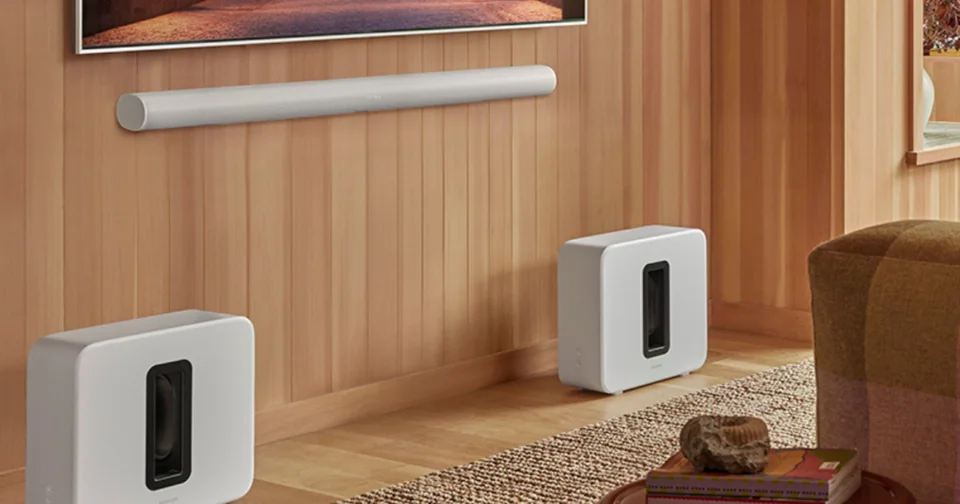
Work through no sound from soundbar over eARC. Catalog examples for HDMI bars include Sonos Beam Gen 2 and Sonos Arc Ultra.
Good to know
HDMI. Samsung says HDMI gives the best audio quality, and Engadget explains that ARC and eARC can handle formats like Dolby Atmos that optical cannot.
Samsung's soundbars include an audio sync control that lets you adjust a delay, in a range of 0 to 300 milliseconds on models that offer it. The method depends on your soundbar, so check its manual.
Often not. Engadget explains that HDMI-CEC lets one remote control compatible devices, so a TV remote can usually handle soundbar volume and power when CEC is on for both. Support varies by brand.
Mentioned in this article
5 sources used for this article. We paraphrase and link, we do not republish.
More setup guide
What each gaming feature does, the cable and port you need, and the TV-side switches to check before you blame the console.

Pick the right antenna, place it well, and run a channel scan so your TV finds every local station.

Two ways to clear the cable clutter under a wall-mounted TV, and the safety lines you should not cross.
A short letter when something is worth your attention. Unsubscribe any time.