Skip to content
TVReviews

Setup guide

How to set up eARC: wiring, HDMI-CEC and TV settings

Connect a soundbar or receiver over eARC, turn on the control settings it needs, and know what to check on each brand.

By TV Reviews Editors 3 min read
Streams of light flowing from a screen to a soundbar.
In this article
  1. ARC and eARC in one paragraph
  2. What you need
  3. Step-by-step
  4. Samsung TVs
  5. LG, Sony, TCL, Hisense and others
  6. If it does not work

Key takeaways

  • Use the HDMI port labeled ARC or eARC on the TV, and the matching port on the soundbar.
  • HDMI-CEC must be on. Brands call it Anynet+, SIMPLINK, BRAVIA Sync and other names.
  • eARC carries uncompressed and object-based audio such as Dolby Atmos. Older ARC is more limited.
  • Use a certified Ultra High Speed HDMI cable, and update TV and soundbar firmware.

eARC (Enhanced Audio Return Channel) sends sound from the TV back to a soundbar or receiver over one HDMI cable. That includes audio from the TV's built-in apps and from anything plugged into the TV. Its job, according to the HDMI Forum, is to deliver the original audio from cable, satellite, streaming or connected devices to a receiver or soundbar through a single HDMI cable.

ARC and eARC in one paragraph

ARC arrived in 2009 with HDMI 1.4. eARC arrived with HDMI 2.1 and has more bandwidth. Engadget explains that ARC is limited and often passes compressed audio, while eARC can carry uncompressed, lossless audio and multi-speaker formats. The HDMI Forum lists support for audio up to 192kHz, 24-bit, uncompressed 5.1 and 7.1, 32-channel uncompressed audio, and DTS:X, Dolby Atmos and Dolby TrueHD.

What you need

  • A TV with an HDMI input labeled ARC or eARC. Often only one port has the label, and it is not necessarily the port you use for other gear.
  • A soundbar or receiver with an HDMI output labeled TV (ARC) or eARC.
  • A certified Ultra High Speed HDMI cable.

Step-by-step

  1. Power everything off. Connect the cable from the TV's ARC or eARC port to the soundbar's matching HDMI port.
  2. Turn on both devices. Samsung's soundbar guide says to set the soundbar to its D.IN source, after which the display cycles through D.IN and TV eARC/ARC.
  3. Turn on HDMI-CEC on the TV. This control link is required for eARC. Brands use different names: Samsung calls it Anynet+, LG calls it SIMPLINK, and Sony calls it BRAVIA Sync or Control for HDMI, according to Engadget. Other brands use other names.
  4. Choose the soundbar as the audio output in the TV's sound settings.
  5. Check the soundbar's own HDMI-CEC or ARC setting, since some devices have one.
  6. Play something and confirm sound comes from the soundbar. Update TV and soundbar firmware if it does not.

Samsung TVs

Samsung's support page gives these paths:

  • HDMI-eARC Mode: Settings > Sound > Expert Settings > HDMI-eARC Mode. Samsung says the default is off. A later Samsung page shows the same setting under Settings > All Settings > Sound > Expert Settings and says to choose Auto.
  • Anynet+ (HDMI-CEC): Settings > General > External Device Manager > Anynet+ (HDMI-CEC). On newer sets Engadget describes Settings > All Settings > Connection > External Device Manager.
  • Digital output format, if there is no sound: Menu > Sound > Expert Settings > Digital Output Audio Format. Samsung suggests testing PCM, Auto and Pass-Through in turn.

Samsung also notes the TV's labeled port is the same ARC port, and that a One Connect Box often places its ARC port on the third HDMI input.

LG, Sony, TCL, Hisense and others

Menu names for the eARC and CEC settings vary by brand, model and year, and no maker page was available to quote here. Look in the TV's sound and general or connection settings for HDMI-CEC and audio output options, and check your TV's manual. Console and streaming boxes have CEC settings too. On a PS5, Engadget gives the path Settings > System > HDMI > Enable HDMI Device Link.

If it does not work

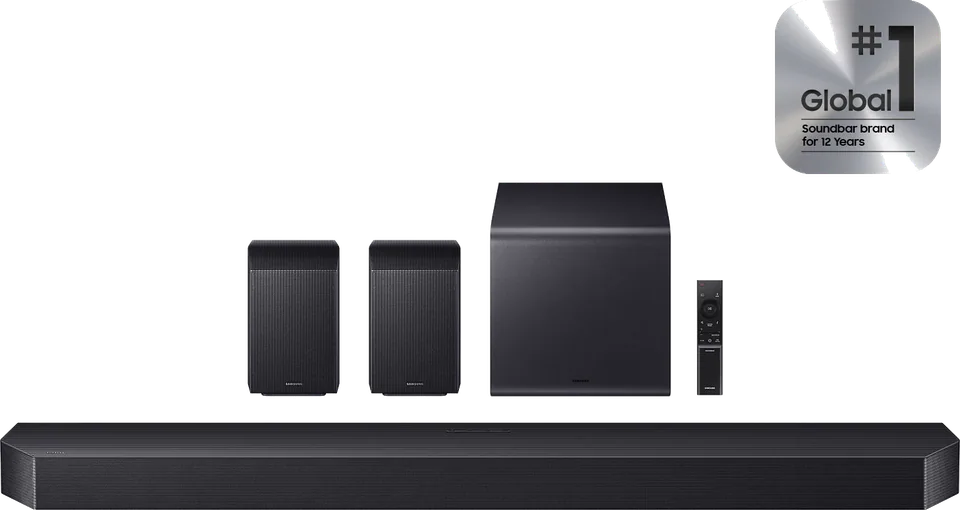
Samsung recommends removing all other devices from the TV first, because a device that does not follow HDMI rules can disrupt ARC or eARC, and then reconnecting them one at a time. Also confirm the soundbar supports eARC, the cable is a certified type, and CEC is on both ends. If you turn CEC off to stop an input-switching annoyance, Engadget warns that eARC will stop working. For a full checklist, see no sound from soundbar over eARC. If you are still choosing a bar, Sonos Arc Ultra and Samsung HW-Q990H are catalog examples.

Heads up Plugging into the wrong HDMI port is the most common mistake. If the soundbar is not in the TV's eARC port, the TV cannot send it audio.
  • earc
  • hdmi
  • soundbar
  • setup
  • hdmi-cec

Good to know

Questions people ask

Is eARC better than ARC?

For high-quality audio, yes. The HDMI Forum says eARC supports uncompressed 5.1 and 7.1, up to 32 channels of uncompressed audio, and formats such as Dolby Atmos, Dolby TrueHD and DTS:X. Engadget notes that ARC is bandwidth-limited and often still sends compressed audio.

Do I need a special cable for eARC?

Use a certified Ultra High Speed HDMI cable. Engadget reports that this category is certified for up to 48Gbps and that a certification label and QR code let you verify it.

Can I still use an optical cable?

Yes, if your TV and soundbar both have optical ports. Engadget says optical tops out at compressed 5.1 or 7.1 sound, so it cannot carry Dolby Atmos the way HDMI ARC or eARC can.

Mentioned in this article

The products

Sonos Sonos Arc Ultra

Sonos · 2024

Arc Ultra

Soundbar

From

$1,099

Samsung Samsung HW-Q990H

Samsung · 2026

HW-Q990H

Soundbar

From

$1,500

Sonos Sonos Beam (Gen 2)

Sonos · 2021

Beam (Gen 2)

Soundbar

From

$499

Sources and further reading

6 sources used for this article. We paraphrase and link, we do not republish.

  1. HDMI ARC - What is eARC? Audio Return Channel · HDMI Forum / HDMI LA
  2. The HDMI ARC port on your TV has a very specific job · Engadget · May 14, 2026
  3. What eARC is and how to set on Samsung Smart TV · Samsung Africa · Dec 3, 2020
  4. How to set up HDMI-CEC on your Samsung TV · Engadget · Sep 13, 2026
  5. How to Connect your Soundbar to a Samsung TV · Samsung Australia
  6. Are expensive HDMI cables worth it? · Engadget · Sep 1, 2026

More setup guide

Keep reading

Get the next one in your inbox

A short letter when something is worth your attention. Unsubscribe any time.