Sonos · 2024
Arc Ultra
Soundbar
From
$1,099
Explainer
How a single HDMI cable carries TV audio to a soundbar or receiver, what eARC improves, and how to set it up.

A modern TV sends picture to a screen, but plenty of people also want its sound to come out of a soundbar or receiver. The Audio Return Channel, or ARC, solves that by letting audio travel back out of the TV through an HDMI port. eARC is the improved version.
Normally a cable carries sound and picture one direction, from a source into the TV. ARC adds a path in the opposite direction on the same cable. If your streaming apps live inside the TV, or your cable box is connected to it, the TV can push that audio to your soundbar with a single HDMI connection and no extra optical cable. Controls also tend to be simpler, because the soundbar can follow the TV remote.
HDMI.org describes eARC as an advancement over ARC that simplifies connectivity and gives users more ease in discovering multiple components and optimizing audio. Its list of supported audio is the headline: high-bitrate sound up to 192kHz at 24-bit, uncompressed 5.1 and 7.1 channels, and 32-channel uncompressed audio. The same page says eARC supports DTS-HD Master Audio, DTS:X, Dolby TrueHD and Dolby Atmos.
That matters because Dolby Atmos, which places sounds around and above the listener as individual objects instead of fixed channels, is what a growing share of soundbars advertise. On Dolby's own site, Atmos is described as letting creators place each sound where they want it to go. A soundbar that connects over eARC is the cleanest way to make sure the TV passes that signal along unchanged.
Look at the labels. Both ends need to be the eARC-labeled ports. On a TV, only one HDMI input is usually the eARC port, and it is often marked on the panel. On the soundbar, the output labeled eARC or ARC connects to that TV port. What Hi-Fi's guide to Atmos soundbars lists the connections for each recommended model; for example, the Sonos Arc Ultra connects with a single HDMI eARC output, which matches Sonos's own description of a simple HDMI eARC setup.
Think about passthrough. TechRadar points out that some top soundbars have no HDMI passthrough. That is fine if all your devices plug into the TV, but it is an issue if you want to connect a game console straight to the bar. Some soundbars include extra HDMI inputs with 4K 120Hz passthrough, others do not. Count your devices before you buy and use our HDMI 2.1 explainer to understand which ports matter for gaming.
Plan the chain. In most homes the order is: console, streamer or cable box into the TV, then TV into the soundbar via eARC. That keeps your TV as the hub, and the soundbar receives audio from whatever you are watching.
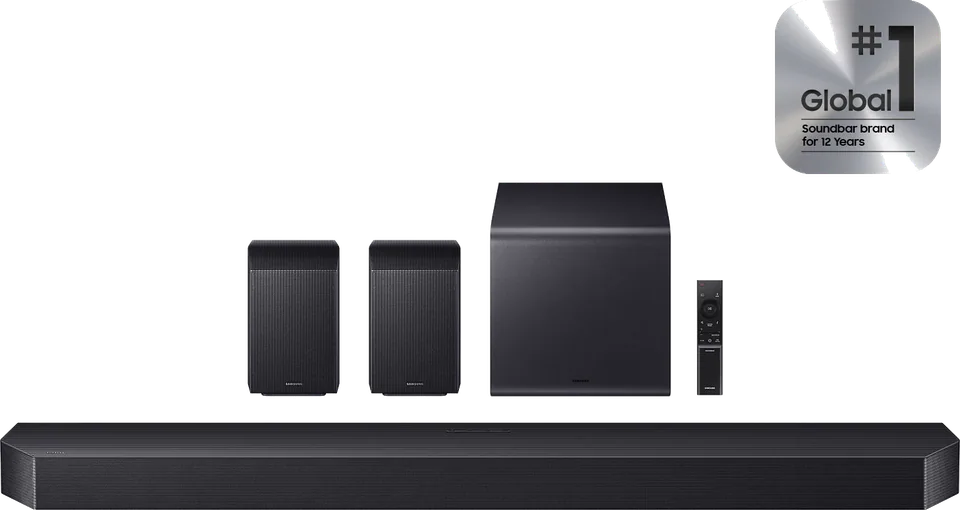
Soundbar pages on this site include the Sonos Arc Ultra, Sonos Beam Gen 2 and Samsung HW-Q990H. See also the soundbar buying guide.
If you mainly watch regular TV and streaming in stereo or basic surround, standard ARC will often work well. The jump to eARC matters most when you want uncompressed or object-based formats, or when you run an AV receiver with many speakers.
Good to know
eARC is the enhanced version of ARC. HDMI.org says it supports higher-bitrate audio, up to 192kHz and 24-bit, uncompressed 5.1 and 7.1, and formats such as Dolby TrueHD, DTS-HD Master Audio, DTS:X and Dolby Atmos.
HDMI.org describes eARC as a feature of the current HDMI specification and recommends certified Ultra HDMI cables. A certified Ultra High Speed cable is a safe choice for modern setups.
HDMI.org lists Dolby Atmos among the formats eARC supports, and many Atmos soundbars, including the Sonos Arc Ultra, use an HDMI eARC connection. Check your soundbar's manual for the formats it accepts on each port.
Mentioned in this article
5 sources used for this article. We paraphrase and link, we do not republish.
More explainer

A nit is a unit of brightness. Here is how to read the numbers in TV reviews and how much you really need.

HDR widens the range between dark and bright on screen. Here is how the main formats differ and which brands support which.

What HDMI 2.1 actually adds, why only some ports on a TV may support it, and how to pick a cable that will not hold you back.
A short letter when something is worth your attention. Unsubscribe any time.